

 Sep 16, 2026
 5 min read
How Your Passwords Are Actually Stored (And Why Plaintext Is a Disaster)
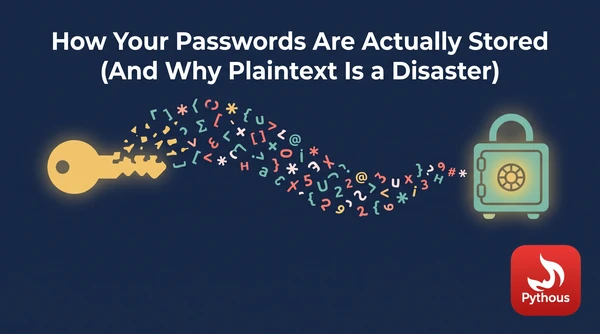
In December 2009 a hacker got into the database of RockYou, a company that made apps for social networks, and walked off with 32 million passwords. They were stored exactly as the users had typed them. The list became the most widely used password-cracking dictionary in the world, and it taught security researchers more about how people really choose passwords than any survey had. The most common one was 123456.
When a site is breached, the first question security people ask is how the passwords were stored. The answer decides whether the attacker gets a list of logins ready to try on email and bank accounts elsewhere, or a pile of data that is very expensive to do anything with.
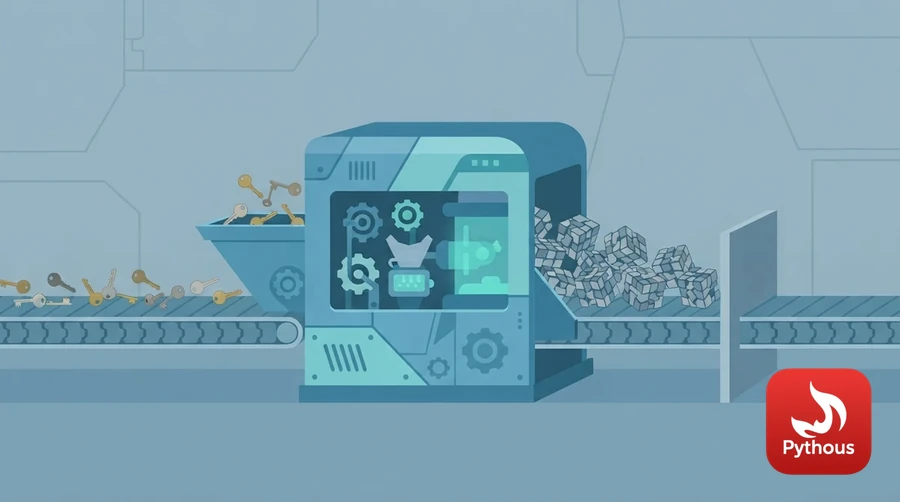
Illustration: hashing turns a password into a fixed scramble that can't be turned back.
Hashing, not encryption
Encryption is reversible. Whoever has the key can turn the scrambled data back into the original. That makes it the wrong tool for passwords, because the key has to live somewhere on the server, and an attacker who steals the database often steals the key too. Adobe learned this in 2013, when a breach exposed about 153 million user records. The passwords had been encrypted with one key, in a mode that turned identical passwords into identical scrambled text. Worse, the database also stored users' password hints in plain text. As the security researcher Troy Hunt showed at the time, you could often guess a password just by reading the hints of everyone who shared it.
A hash function is one-way. It takes an input of any length and produces a fixed-length fingerprint, and there is no key that turns the fingerprint back into the input. The server doesn't need to know your password, only to check that you know it. When you log in, it hashes what you typed and compares the result with the stored hash. If they match, you're in.
Why a fast hash is a bad hash
Early systems used general-purpose hash functions such as MD5 and SHA-1. These were designed to be fast, because they are used for things like checking that a downloaded file hasn't been corrupted. For passwords, speed helps the attacker. An attacker with a stolen list of hashes doesn't reverse them. They guess: take a candidate password, hash it, see whether it matches. The faster the hash, the more guesses per second.
How many? A widely shared benchmark of the password-cracking tool Hashcat on a single Nvidia RTX 4090, a gaming graphics card, measured about 164 billion MD5 guesses per second, about 50 billion for SHA-1 and about 22 billion for SHA-256. At those speeds, every possible eight-character password made of lowercase letters and digits can be tried in under a minute.
There is a second problem. If two users choose the same password, an unsalted hash gives the same result for both, so one cracked hash cracks every account that shares it, and attackers can precompute huge tables of hashes for common passwords. LinkedIn stored passwords as unsalted SHA-1 hashes, and when they leaked in 2012, millions were cracked within days. The fix is a salt: a random value, different for each user, stored next to the hash and mixed into it. With salts, identical passwords give different hashes, and precomputed tables are useless.
Bcrypt, scrypt and Argon2 are deliberately slow, so every guess costs an attacker time. Photo: Maria Mileta / Pexels
Slow on purpose
Salting doesn't slow down guessing. For that you need a hash function designed to be expensive. There are three in common use:
- bcrypt, published by Niels Provos and David Mazières in 1999, has a cost setting that doubles the work each time it goes up by one.
- scrypt, designed by Colin Percival in 2009, also needs a large amount of memory for each guess. Graphics cards have thousands of cores but relatively little memory per core, so memory-hard functions blunt their advantage.
- Argon2 won the Password Hashing Competition, an open contest run by cryptographers from 2013 to 2015, and became an internet standard as RFC 9106 in 2021. It lets the defender set the time, the memory and the degree of parallelism.
The difference is enormous. On the same RTX 4090, Hashcat managed about 184,000 bcrypt guesses per second at a low cost setting of 5. That is nearly a million times slower than MD5, and real systems use higher settings. A login that takes a quarter of a second to verify costs a legitimate user nothing; it costs an attacker making billions of guesses a fortune.
The OWASP Password Storage Cheat Sheet, the reference most developers are pointed to, currently recommends Argon2id with at least 19 MiB of memory, or scrypt or bcrypt where Argon2 isn't available. In Python, using the argon2-cffi library, it is two lines: PasswordHasher().hash(password) to store, and PasswordHasher().verify(stored_hash, password) to check at login. The salt and settings are kept inside the stored string automatically. Django, the framework this site runs on, hashes passwords with PBKDF2 and many iterations by default, and supports Argon2 and bcrypt as options.
What it means if you use these sites
You can't tell from the outside how a site stores passwords, so it is safest to assume some don't do it well. The single most useful habit is a different password for every site, which a password manager makes practical. Then a breach at one company gives an attacker nothing to try anywhere else. Length beats clever substitutions: P@ssw0rd! is in every cracking dictionary, while four or five random words are not. Our article on how strong a password really is works through the arithmetic. Turning on two-factor authentication means a cracked password alone isn't enough. And the "forgot password" button is a good sign in one respect: a site that can email you your old password is storing it in a way it shouldn't be.
Sources
- OWASP Cheat Sheet Series, "Password storage cheat sheet". https://cheatsheetseries.owasp.org/cheatsheets/Password_Storage_Cheat_Sheet.html
- National Institute of Standards and Technology, Digital Identity Guidelines: Authentication and Lifecycle Management, SP 800-63B. https://pages.nist.gov/800-63-4/sp800-63b.html
- A. Biryukov, D. Dinu, D. Khovratovich and S. Josefsson, "Argon2 memory-hard function for password hashing and proof-of-work applications", RFC 9106, 2021. https://www.rfc-editor.org/rfc/rfc9106
- Niels Provos and David Mazières, "A future-adaptable password scheme", USENIX Annual Technical Conference, 1999. https://www.usenix.org/legacy/events/usenix99/provos/provos_html/
- Colin Percival, "Stronger key derivation via sequential memory-hard functions", 2009. https://www.tarsnap.com/scrypt/scrypt.pdf
- Chick3nman, "Hashcat v6.2.6 benchmark on the Nvidia RTX 4090", 2022. https://gist.github.com/Chick3nman/32e662a5bb63bc4f51b847bb422222fd
- Troy Hunt, "Adobe credentials and the serious insecurity of password hints", 2013. https://www.troyhunt.com/adobe-credentials-and-serious/

Comments (0)
Leave a Reply
Log in to post a comment.