

 Sep 16, 2026
 5 min read
Containers vs Virtual Machines: What's Actually Different Under the Hood
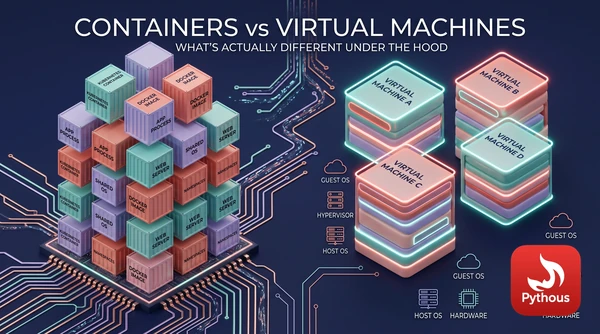
Start an Ubuntu virtual machine and you wait while it boots: firmware, bootloader, kernel, system services, login prompt. Run docker run --rm ubuntu echo hello on a machine that already has the image, and "hello" comes back in well under a second. Both give you something that looks like a separate Linux computer. The difference in speed comes from a single design decision: what each one copies, and what it shares.
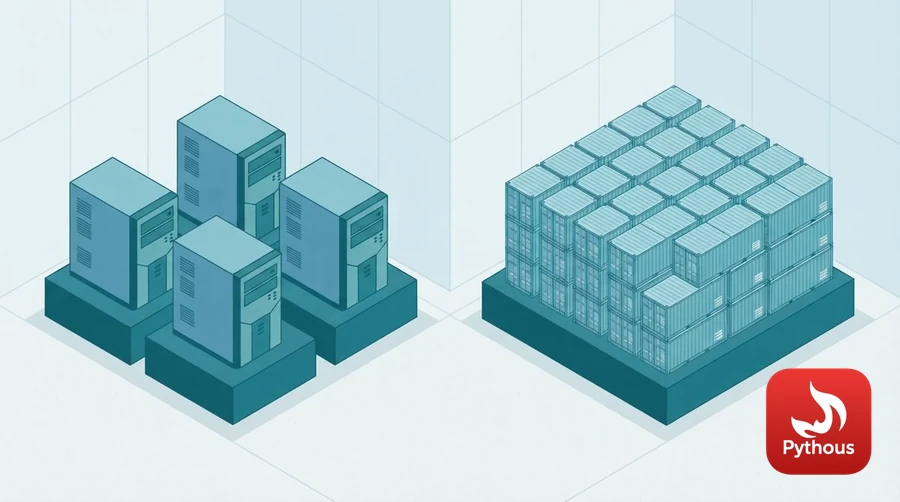
Illustration: virtual machines each carry a full operating system; containers share one.
A virtual machine copies the hardware
A hypervisor such as KVM, Hyper-V, VMware ESXi or Xen presents each guest with virtual hardware: processors, memory, disks and network cards. The guest boots its own operating system on that hardware, kernel and all, and has no idea it is not on a real machine. The idea is old. IBM ran virtual machines on its mainframes in the late 1960s, and in 1974 Gerald Popek and Robert Goldberg set out the formal conditions a processor must meet to be virtualised efficiently. Ordinary PC processors did not meet them until Intel and AMD added hardware support in 2005 and 2006.
Because every guest runs a full operating system, ten virtual machines on one server mean ten kernels, ten sets of system services and ten slices of memory set aside for them, even if all ten run the same Linux distribution. In exchange, the boundary between guests is strong. The guests share only the hypervisor, which is a much smaller and simpler piece of software than a general-purpose kernel.
A container is a process with blinders on
A container does not boot anything. It is an ordinary process, or group of processes, running on the host's own kernel. What makes it feel like a separate machine are two features of the Linux kernel, both documented in its manual pages.
Namespaces give a process its own view of particular resources. In a new PID namespace the first process sees itself as process number 1 and cannot see the host's other processes. A network namespace has its own interfaces, IP addresses and routing table. A mount namespace has its own filesystem tree, and a UTS namespace its own hostname. Linux has eight kinds in all, added gradually between 2002 and 2020.
Control groups, or cgroups, limit and account for what a group of processes can use: how much CPU time, how much memory, how much disk input and output. They were developed at Google and merged into the kernel in 2008. If a process in a container tries to use more memory than its cgroup allows, the kernel stops it there, so one container cannot starve the others.
Starting a container means creating some namespaces, setting up a cgroup and starting a process inside them. That is why it takes milliseconds. None of this was invented by Docker, which appeared in 2013. Docker's contribution was the packaging: a simple way to build an image, share it and run it.
Why images are small
A container image is a stack of read-only layers, usually one for each instruction in the Dockerfile that built it. Docker's default storage driver, OverlayFS, merges the layers into a single view and adds a thin writable layer on top for each running container. Layers are identified by a hash of their contents, so two images built on the same base share that base on disk. Pulling a new image that shares layers with one you already have downloads only what is new. A virtual machine disk image, by contrast, has to contain an entire operating system.
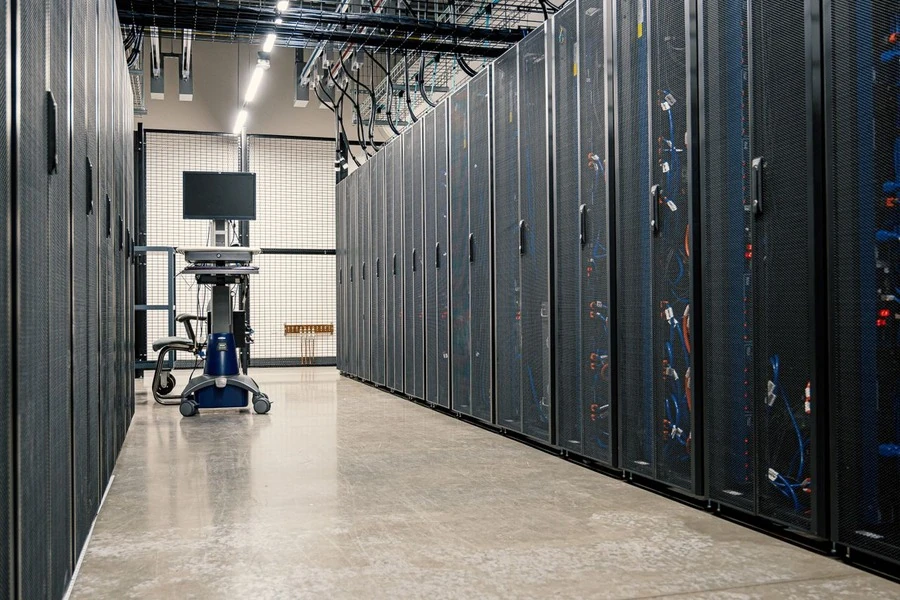
For untrusted code, cloud providers wrap containers in lightweight VMs or sandboxes. Photo: Brett Sayles / Pexels
The price of sharing a kernel
The shared kernel that makes containers fast is also their weak point as a security boundary. Every container on a host depends on that one kernel, and the Linux kernel is a very large program with a very large interface. A serious kernel bug can let code in one container reach the host or its neighbours. So can a bug in the container runtime. In February 2019 researchers disclosed CVE-2019-5736, a flaw in runc, the low-level runtime used by Docker and Kubernetes, which let a malicious container overwrite the runc program on the host and gain root access to it.
This is why cloud providers that run untrusted code from many customers on the same machines do not rely on containers alone. Amazon built Firecracker, a minimal virtual machine monitor that starts a lightweight VM in about 125 milliseconds, to isolate each AWS Lambda function and Fargate task; its design was published at the USENIX NSDI conference in 2020. Google's gVisor takes another route: it intercepts the system calls a container makes and handles them in its own user-space kernel, so the container never talks directly to the real one. Kata Containers wraps each container in its own small VM. All three try to get back most of a virtual machine's isolation while keeping most of a container's speed.
Choosing between them
Containers suit one application with its dependencies, packaged so it runs the same on a laptop, a test server and production, and started and stopped often. Virtual machines are the right tool when you need a different operating system from the host, or a hard boundary between workloads that must not trust each other. Since a container shares the host's kernel, a Linux container needs a Linux kernel. Docker Desktop on Windows and macOS gets around this by quietly running a small Linux virtual machine in the background.
In practice, most production systems use both. A typical Kubernetes cluster in the cloud runs containers for packaging and density inside virtual machines that provide the security boundary between customers.
Sources
- Linux man-pages project, "namespaces(7)". https://man7.org/linux/man-pages/man7/namespaces.7.html
- Linux man-pages project, "cgroups(7)". https://man7.org/linux/man-pages/man7/cgroups.7.html
- Docker documentation, "OverlayFS storage driver". https://docs.docker.com/engine/storage/drivers/overlayfs-driver/
- Gerald J. Popek and Robert P. Goldberg, "Formal requirements for virtualizable third generation architectures", Communications of the ACM 17 (1974): 412–421. https://doi.org/10.1145/361011.361073
- Alexandru Agache et al., "Firecracker: lightweight virtualization for serverless applications", USENIX NSDI 2020. https://www.usenix.org/conference/nsdi20/presentation/agache
- gVisor documentation, "What is gVisor?". https://gvisor.dev/docs/
- National Vulnerability Database, "CVE-2019-5736" (runc container breakout). https://nvd.nist.gov/vuln/detail/CVE-2019-5736


Comments (0)
Leave a Reply
Log in to post a comment.